S HUD
Deutsch
Beschreibung
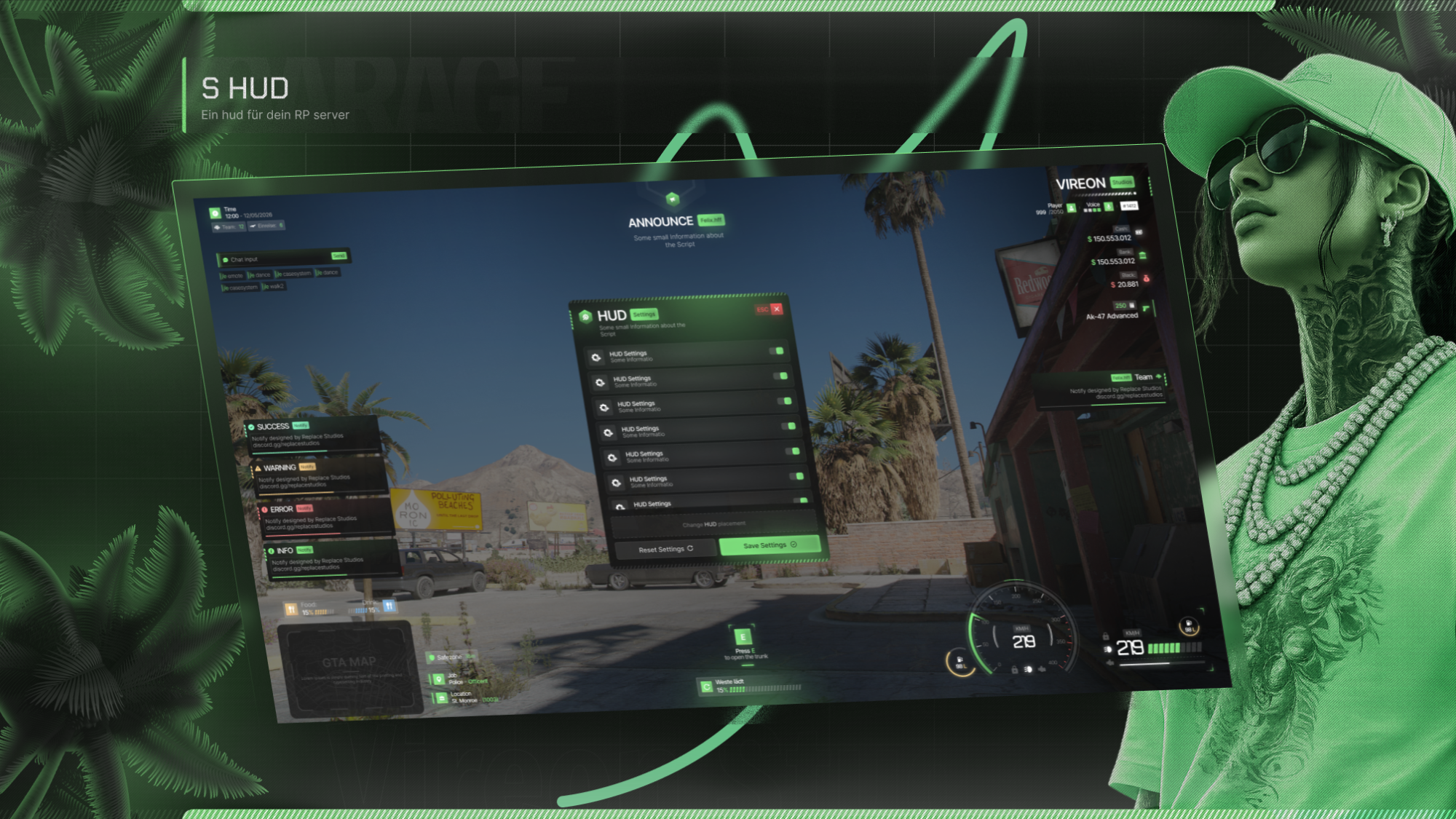
Das S HUD ist ein modernes und anpassbares HUD-System für deinen Roleplay-Server. Durch sein flexibles Design passt es zu nahezu jedem RP-Stil und bietet zahlreiche Funktionen für ein optimales Spielerlebnis. Alle HUD-Elemente können individuell positioniert werden und bleiben auch nach einem erneuten Serverbeitritt gespeichert.
Funktionen
- HUD-Einstellungsmenü
- Team-Chat
- Fortschrittsbalken (Progress Bar)
- UI-Sprachreichweitenanzeige
- Individuelles Chatsystem
- Spieleranzeige
- Jobanzeige
- Eigenes Hungersystem
- Individuelle Waffenanzeige
- ID-Anzeige
- 2 verschiedene Tachometer
- Verschiebbare HUD-Elemente
- Automatische Speicherung aller HUD-Positionen
Unterstützte Frameworks
Installation
- Öffne deinen Keymaster und lade das Asset herunter.
- Füge die Ressource auf deinem Server hinzu und starte sie.
- Überprüfe die Server- und Client-Konfigurationen und passe diese an deinen Server an.
- Farben und weitere visuelle Anpassungen können im HTML-Ordner geändert werden.
- Namen und weitere Texte lassen sich ebenfalls individuell anpassen.
Support
Support wird ausschließlich über unseren Discord-Server angeboten.
Discord:
English
S HUD is a modern and highly customizable HUD system for your roleplay server. Its flexible design makes it suitable for almost any RP style while providing a wide range of features to enhance the player experience. All HUD elements can be freely moved and their positions are automatically saved, even after rejoining the server.
Features
- HUD Settings Menu
- Team Chat
- Progress Bar
- Voice Range UI
- Custom Chat System
- Player Display
- Job Display
- Custom Hunger System
- Custom Weapon Display
- ID Display
- 2 Different Speedometers
- Movable HUD Elements
- Automatic Saving of HUD Positions
Supported Frameworks
Installation
- Open your Keymaster and download the asset.
- Add the resource to your server and start it.
- Check the server and client configurations and adjust them to fit your server setup.
- Colors and visual customization options can be edited within the HTML folder.
- Names and text labels can also be customized.
Support
Support is provided exclusively through our Discord server.
Discord: